How to Register
Follow these simple steps to:
1) Register for the Hot Shoe Hall of Fame banquet (to receive your free Mecum auction
bidder’s pass code), and
2) Use that code to register as a bidder with Mecum Auctions.
Part 1 – Register for the Banquet & Receive Your Free Auction Code
First, register for the Hot Shoe Hall of Fame banquet. After you submit the form, you’ll receive your complimentary Mecum auction bidder’s pass code.
-
Register for the banquet with Hot Shoe Hall of Fame.Go to the Hot Shoe Hall of Fame banquet registration page:
-
Fill out and submit the banquet form.Complete all required fields on the banquet registration form, then submit it to receive your complimentary Mecum auction bidder’s pass code.
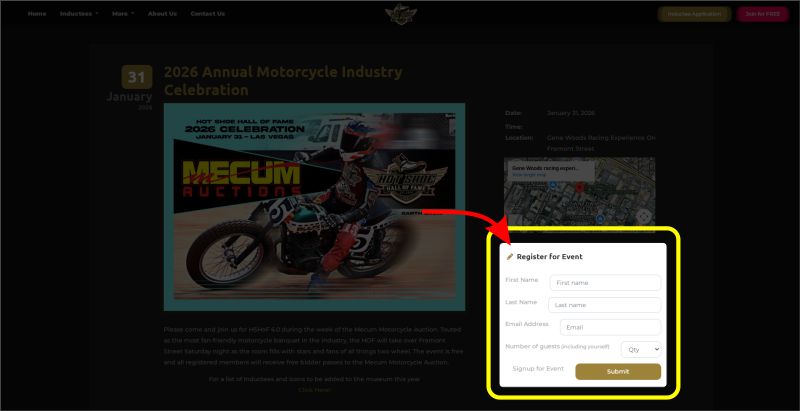 Click the image to enlarge.
 -
Click “Register at Mecum” to go to the Mecum auction registration site.After your banquet registration is submitted and you see your bidder’s pass code (for example: hshof26), click the “Register at Mecum” button. This will open the Mecum Auctions registration website in a new tab.
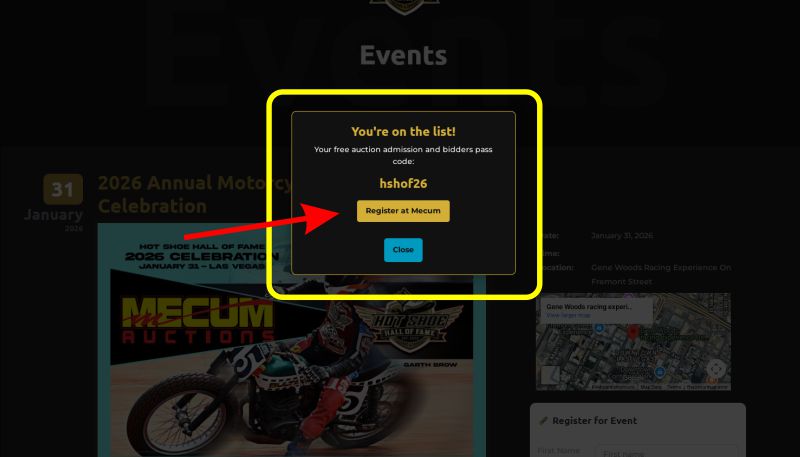 Click the image to enlarge.
Part 2 – Registering for the Mecum Auction Using Your Free Code
On the Mecum Auctions site, you’ll either create a new profile or sign in, then complete the bidder registration using the code you received from Hot Shoe Hall of Fame.
-
Click CREATE YOUR PROFILE if you’re new to Mecum.If you have not previously registered with Mecum Auctions, click the CREATE YOUR PROFILE button.
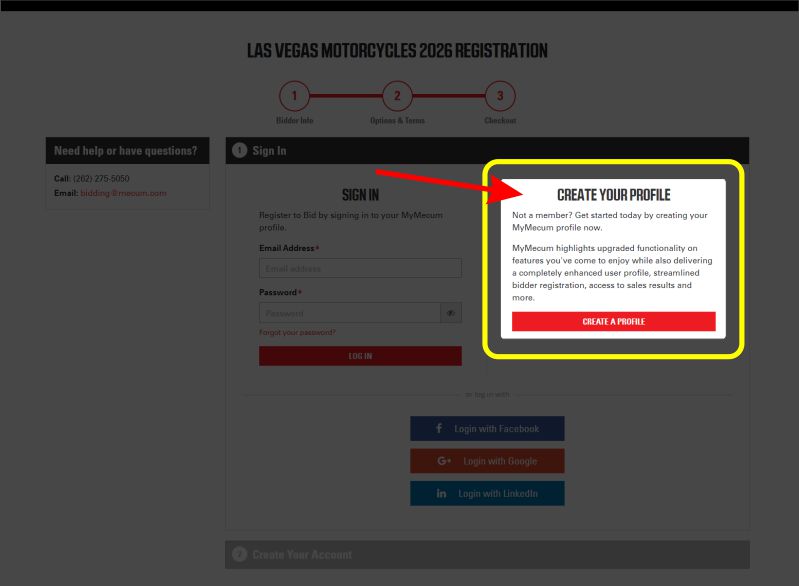 Click the image to enlarge.
 -
Sign in if you already have a MyMecum profile.If you’ve used Mecum before, click SIGN IN and log in with your MyMecum email and password. You may also use:
• Login with Facebook
• Login with Google
• Login with LinkedIn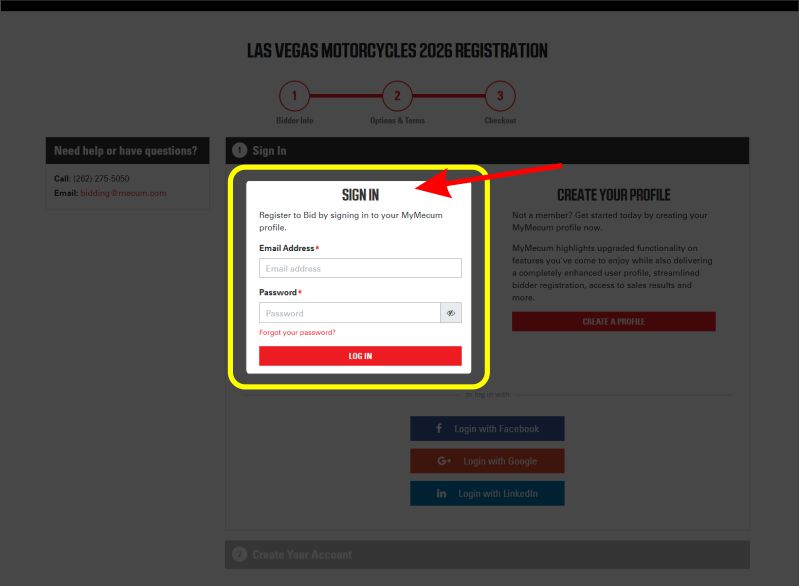 Click the image to enlarge.
 -
Fill out the Bidder Information form.Complete the Bidder Information section with your personal details. When asked for Registration type, select Standard.
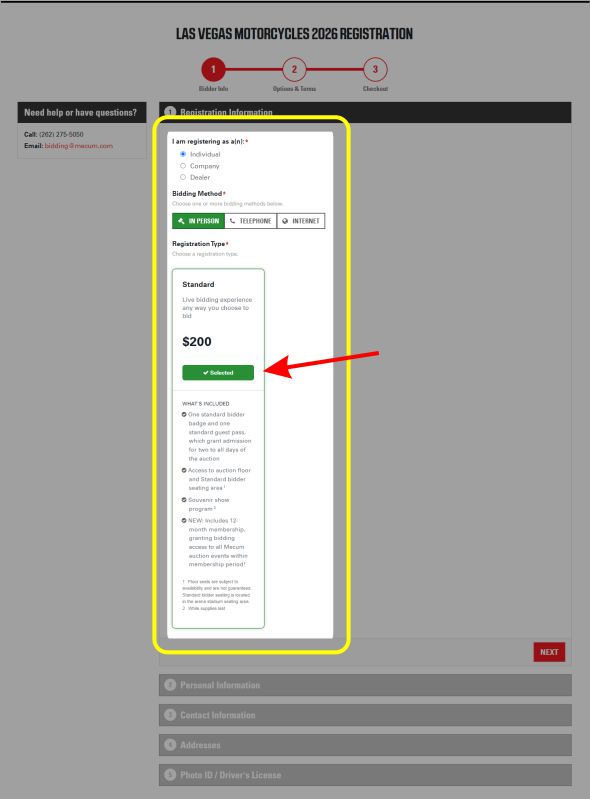 Click the image to enlarge.
 -
Apply your bidder’s pass code on the Checkout page.On the Checkout page, enter your bidder’s pass code hshof26 in the PROMO CODES box and apply it.
The registration price should update to $0.00 (not including any extra options or guest passes you choose).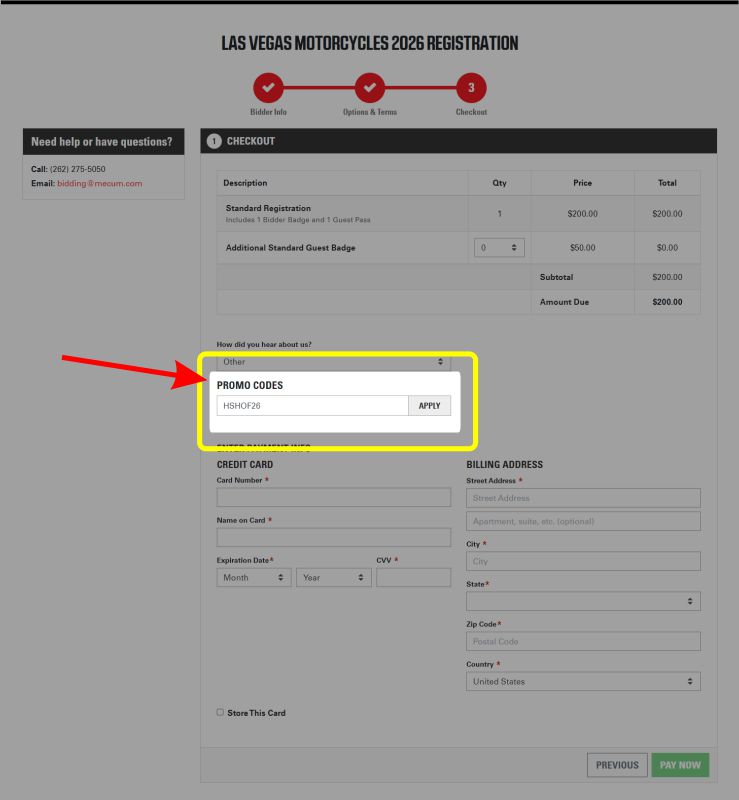 Click the image to enlarge.
 -
Leave credit card info blank if you’re not buying extras.If you are not purchasing any additional options or guest passes, you may leave the credit card information blank. Once your total is correctly showing your free bidder’s pass, click PAY NOW to continue.
-
Confirm and click CHECKOUT.Review all of your information carefully. If everything is correct, click CHECKOUT to complete your Mecum bidder registration.
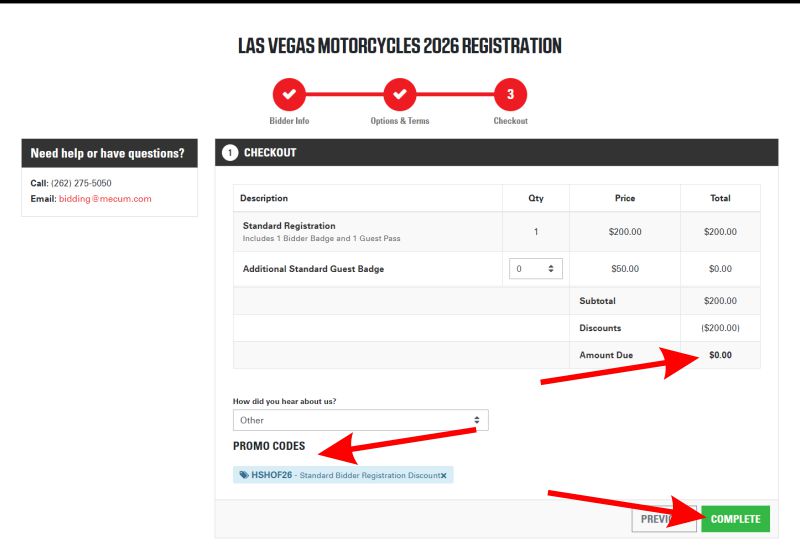 Click the image to enlarge.
 -
Watch for your confirmation email from Mecum Auctions.You will receive a confirmation email from Mecum Auctions with your bidder details and any additional information about the auction. Keep this email handy for check-in at the event.
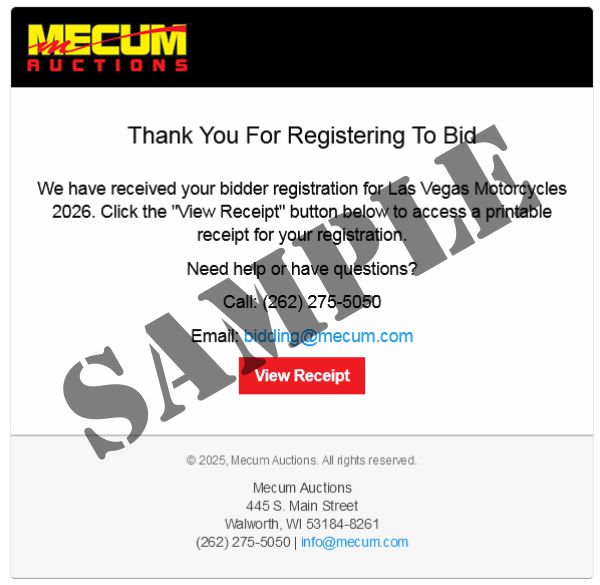 Click the image to enlarge.
*Each registered attendee receives one additional complimentary guest pass.